
AI process architecture: turning manual work into measurable workflows
A practical guide to turning manual processes into AI workflows with BPM, KPIs, SLAs, runbooks, n8n, validation and human review.
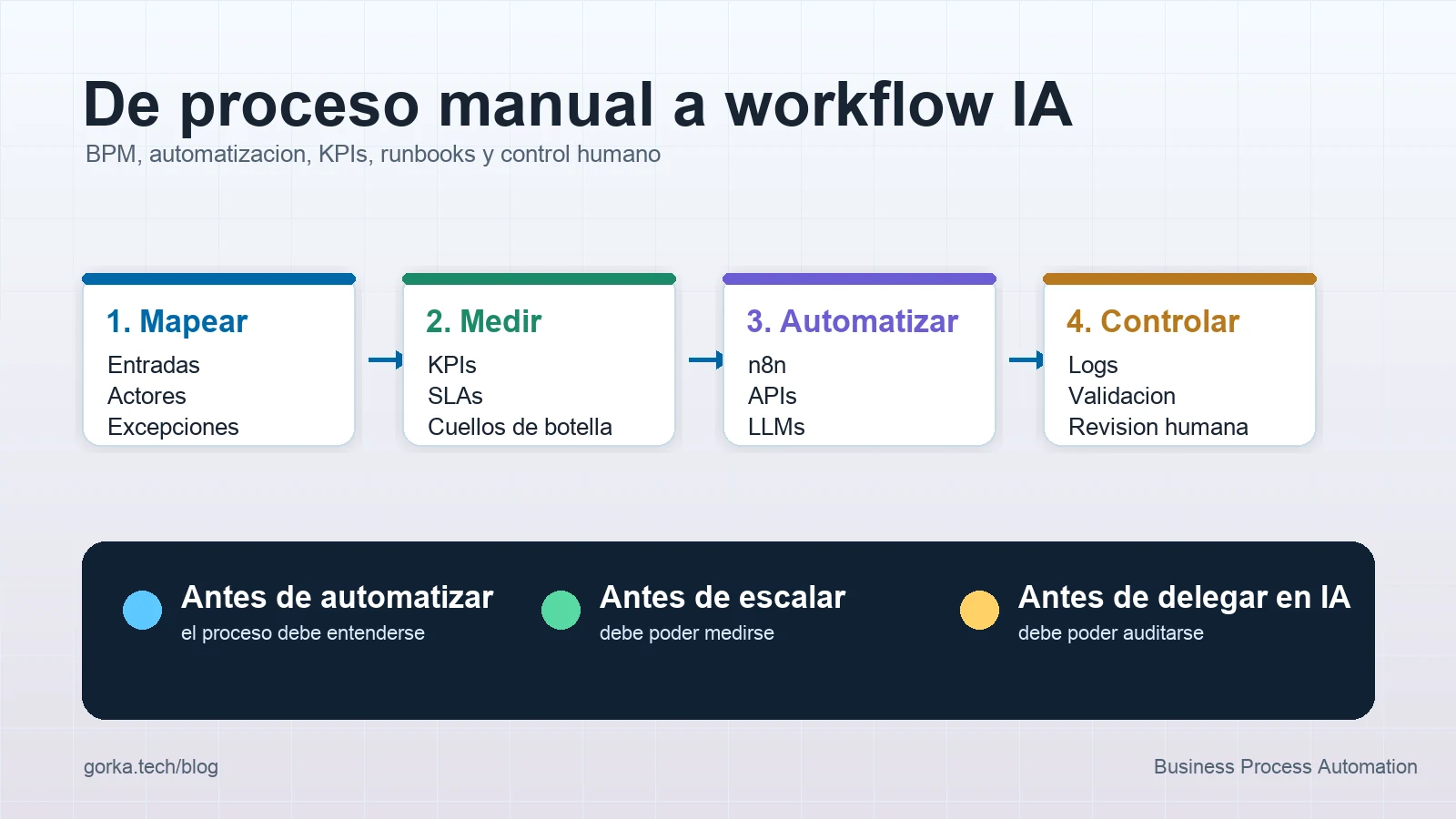
Automating a process with AI does not start by writing a prompt. It starts by understanding the process.
When a company says "we want to automate this", it is usually not referring to a single task. It is referring to a chain of decisions, data, exceptions, people, tools and responsibilities that have accumulated over time.
If that chain is not understood, AI only accelerates the mess. If it is understood well, automation can reduce manual work, improve traceability and help teams make decisions with better data.
In this article I explain how I would approach AI process architecture: from the initial map to the workflow, KPIs, runbooks and the points where a human should remain involved.
Direct answer
To turn a manual process into a measurable AI workflow, you need to map the real process, identify inputs and outputs, separate decisions from actions, define KPIs and SLAs, document exceptions, automate only controllable steps, record evidence and keep human review for sensitive decisions.
| Phase | Main question | Deliverable |
|---|---|---|
| Discovery | What actually happens today | Process map |
| Standardisation | What should always happen | Rules and criteria |
| Measurement | How will we know it improved | KPIs and SLAs |
| Automation | What can the system execute | Workflow and services |
| Control | How do we detect failures | Logs, states and alerts |
| Adoption | How does the team use it | Runbook and training |
The goal is not for AI to "do things". The goal is for the process to become clearer, faster and easier to audit.
1. Map the process before touching the technology
The first mistake is opening n8n, FastAPI or any other tool before knowing how the process works. Before automating, I would try to answer basic questions:
- who starts the process;
- what information enters;
- where each data point is stored;
- which decisions are made;
- which tools are involved;
- which exceptions are frequent;
- which person validates or unblocks each case;
- what final result is expected.
You do not need a perfect BPMN diagram at the beginning. Sometimes an honest table is enough:
| Step | Actor | Input | Action | Output | Risk |
|---|---|---|---|---|---|
| Receive request | User | Email, form or WhatsApp | Send data | Open case | Missing data |
| Classify | Team or AI | Free text | Determine type | Category | Misinterpretation |
| Validate | System | Structured data | Check rules | Eligible or not | Missing evidence |
| Execute | Workflow | Validated case | Call APIs | Action completed | Duplicate or external error |
| Review | Human | Unclear case | Decide | Approved or rejected | Inconsistent judgement |
That map reveals something important: many automation problems are not technical. They are process problems. If nobody knows the correct rule, AI should not invent it either.
2. Separate tasks, decisions and actions
Not every step has the same level of risk. To design a workflow properly, I would separate the process into three blocks:
| Type | Example | Treatment |
|---|---|---|
| Informational task | Summarise an email or extract data | AI with validation |
| Decision | Prioritise, approve or reject | Rules + evidence + possible human |
| External action | Create booking, send email, modify CRM | Strong control and idempotency |
AI is very useful for interpreting ambiguous information. But when the system performs an external action, the architecture must be stricter: permissions, validation, persistent state and recovery from failures.
I also apply this principle when designing reliable AI automations for production. A workflow should not repeat an irreversible action just because an API failed while sending the confirmation.
3. Define KPIs and SLAs before automating
If the process is not measured before automation, it is hard to prove that automation improved anything.
Useful KPIs include:
- average time from input to resolution;
- percentage of cases processed without human intervention;
- percentage of escalated cases;
- error rate by step;
- average human review time;
- approximate cost per execution;
- volume by channel;
- satisfaction or feedback from the final user.
Internal SLAs can also help:
| Situation | Possible SLA |
|---|---|
| Complete low-risk request | Resolve in less than 2 minutes |
| Incomplete request | Ask automatically for the missing data |
| Ambiguous case | Escalate to a person in less than 15 minutes |
| Technical error | Alert and leave the case in a recoverable state |
Automation should not always aim for zero humans. In real processes, a better goal is often that people intervene only where they add judgement, not where they repeat mechanical steps.
4. Turn the map into workflow architecture
A reasonable architecture for an AI-enabled process usually has these layers:
Input channel
  -> data normalisation
  -> AI interpretation
  -> deterministic validation
  -> business rules
  -> tool execution
  -> state persistence
  -> notification
  -> observability and escalation
In systems I build with n8n and APIs, I try to give each layer a clear responsibility. n8n is strong for orchestrating integrations, webhooks, Google Sheets, CRMs, WhatsApp or email. FastAPI makes sense when there is reusable Python logic, stronger validation or services that must be tested in isolation. Spring fits better when the business domain needs stable contracts, security and a more structured backend.
I explain this in more detail in n8n, FastAPI and Spring for AI automation.
The key is not to put all intelligence inside one workflow node. The workflow should orchestrate. Critical rules should be testable and reviewable.
5. Design exceptions, not only the happy path
The happy path is usually a small part of the real work. Exceptions are what make a process professional:
- incomplete data;
- duplicated user;
- contradictory business rule;
- external API unavailable;
- unexpected model response;
- insufficient permissions;
- sensitive case requiring approval;
- request outside working hours;
- conflict between two data sources.
Each exception needs a defined response:
| Exception | Response |
|---|---|
| Required field missing | Ask only for that data |
| Possible duplicate | Stop and compare evidence |
| Low model confidence | Escalate to a human |
| API unavailable | Retry with a limit and record state |
| Sensitive action | Require prior approval |
This is where human-in-the-loop appears. Not as a patch, but as part of the design. I expand on this in human-in-the-loop for AI agents.
6. Create runbooks so the team does not depend on the creator
A process is not finished when it works on my machine or in my n8n account. It is finished when another person can understand it, use it and recover it if it fails.
A good runbook should include:
- purpose of the process;
- input channels;
- required data;
- possible states;
- owners;
- business rules;
- common errors;
- how to retry;
- when to escalate;
- where to see logs;
- how to pause the workflow;
- how to restore an execution.
This may sound boring, but it is one of the differences between a nice automation and a system a company can actually adopt. If the knowledge only lives in the developer's head, the process remains fragile.
7. Measure adoption, not only executions
A workflow can run a thousand times and still not change anything meaningful. That is why I would also track adoption metrics:
- the team trusts the results;
- escalated cases arrive with enough context;
- repetitive work decreases;
- people correct less data manually;
- exceptions decrease over time;
- final users receive clearer responses.
In enterprise automation, adoption does not come only from technology. It comes from understandable processes, explainable results and room for the team to participate in improvement.
Conclusion
AI does not replace process architecture. It makes it more necessary.
Before automating, you need to know what happens, who decides, which data matters, which errors are acceptable and how improvement is measured. The tools come afterwards: n8n, APIs, LLMs, FastAPI, Spring, databases or dashboards.
My way of seeing it is simple: process first, automation second, AI third. If that order is reversed, the demo may impress, but the system will be hard to maintain.
A good AI automation is not the one that removes people. It is the one that removes noise, documents work better and keeps important decisions in the right place.