
GymTracker 1.3: personalized plans, interval running and a unified history
GymTracker 1.3 is now live on the App Store: a personalized plan builder, interval running mode, voice reminders and a unified strength and cardio history.
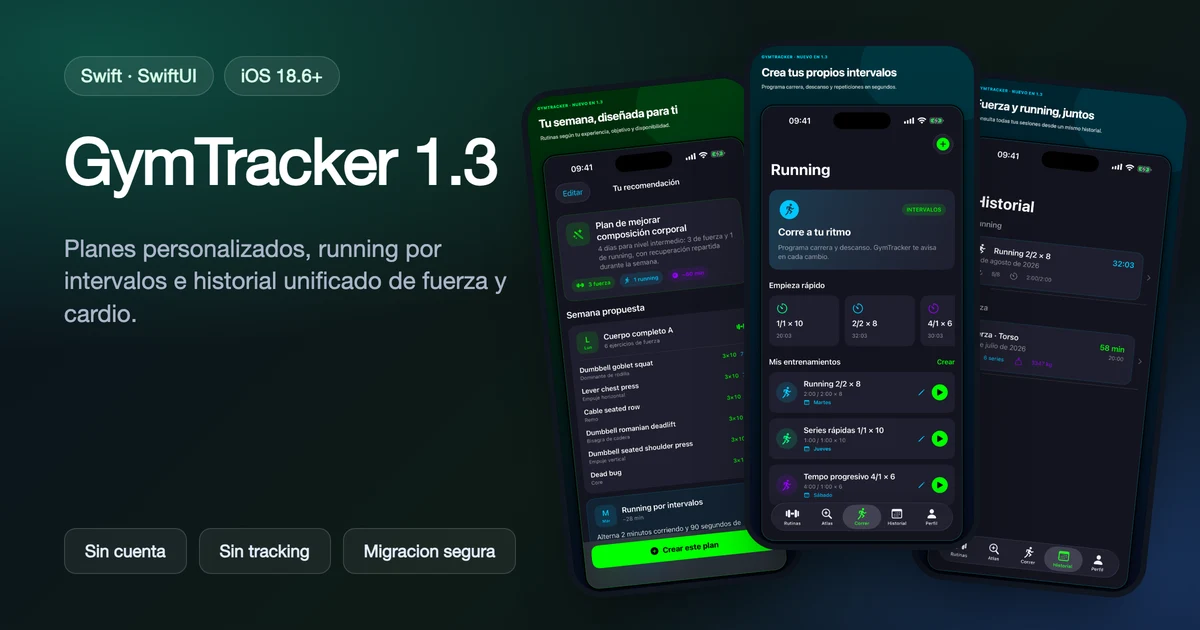
GymTracker just received its biggest update since launch. Version 1.3, now available on the App Store, takes workout planning and cardio tracking much further than the manual set logging I described in the original GymTracker article.
Update at a glance
| Aspect | What's new in 1.3 |
|---|---|
| Planning | Plan builder based on experience, goal, days and equipment |
| Weekly proposals | Combine strength and running, with a preview and suggested days |
| Running | New interval mode: run/rest timers, rounds and presets |
| Reminders | Voice and sound cues that work alongside music and a locked screen |
| Technique | Visual guides for compatible Atlas exercises |
| History | Unified view of strength and running sessions |
| Compatibility | Safe migration: existing routines and history are preserved |
| Privacy | Still no account, no ads, no analytics, no tracking |
A plan builder that starts from your context, not a generic template
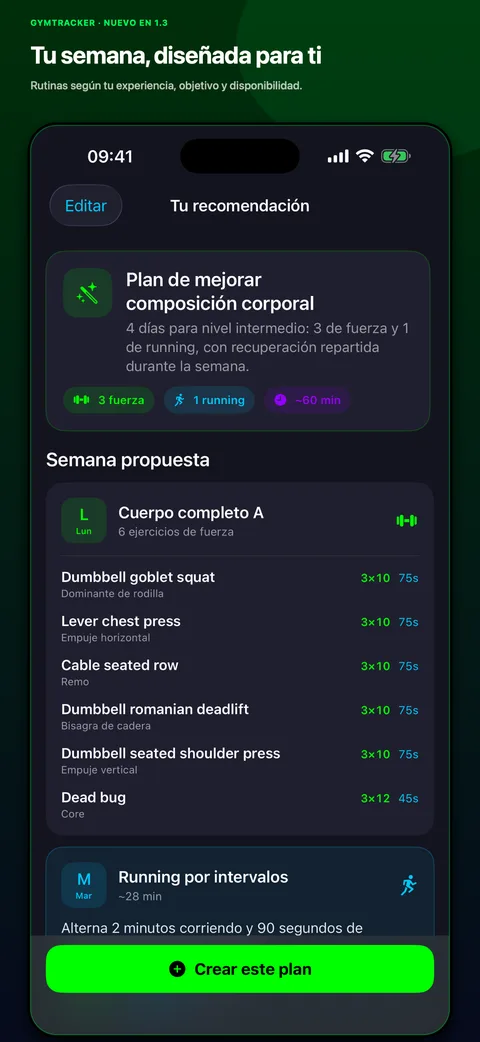
Until now, GymTracker helped log and understand progress, but deciding what to train each week was entirely up to the user. 1.3 introduces a personalized plan builder that takes into account experience level, goal, available days, session length and accessible equipment.
The result isn't a generic routine pulled from a database: it's a weekly proposal that combines strength and running sessions, with a preview of suggested days before you accept it. If the proposal doesn't fit, it can be adjusted without breaking the progression logic the app already had.
Interval running, with the same offline-first philosophy
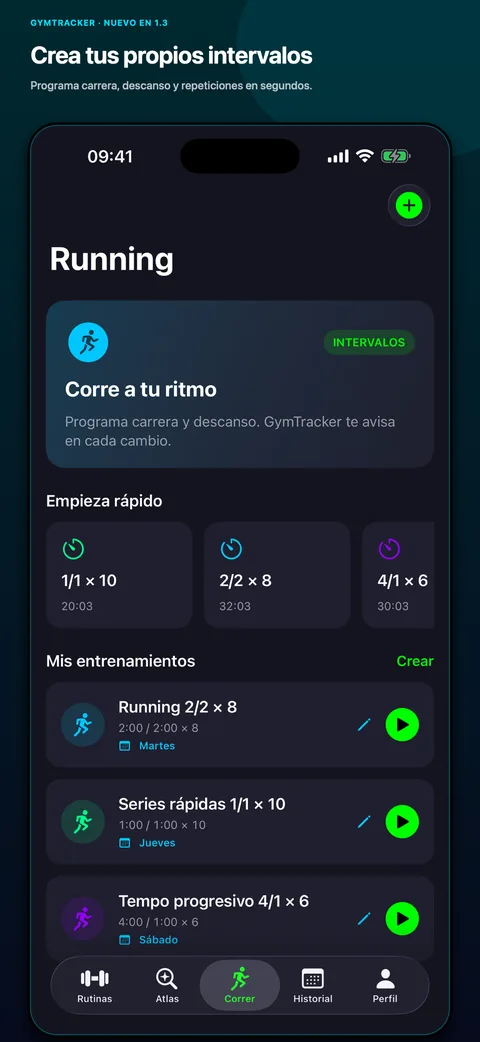
GymTracker started as a strength app, but many users also run. 1.3 adds a complete interval running mode:
- configurable run and rest times;
- number of rounds;
- quick presets to start without any setup;
- pause and recovery during the session.
To make the mode useful while running, it includes short voice and sound reminders designed to coexist with music or podcasts and keep working with the screen locked. It follows the same philosophy as the rest of the app: minimize friction during the actual activity, not just afterward.
Visual technique and a history that finally combines strength and cardio
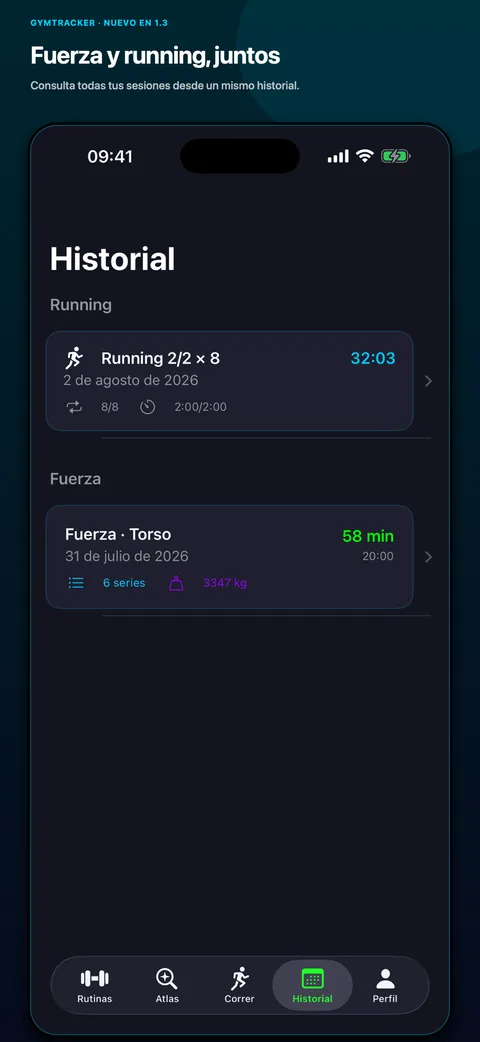
Compatible exercises in the offline Atlas now include visual technique guides, useful for checking form without leaving the workout flow. And since GymTracker now covers both strength and running, the history has been unified: a single timeline to review both session types instead of switching between separate sections.
Several fixes also landed for notes, the rest timer, body weight, kg/lb units, saving and error messages, plus an important addition: the app now supports both kg and lb based on user preference.
Safe migration: nothing gets lost on update
Adding a plan system, a running mode and a combined history required deep changes to the data model. Just like the earlier exercise Atlas expansion, this update was designed so that existing routines, logs and history remain intact after installing 1.3. Shipping structural changes without risking existing users' data was a non-negotiable requirement for this release.
Privacy stays unchanged
GymTracker keeps working exactly the same way on this front: no account, no ads, no analytics and no tracking. Plans, running sessions and the unified history are computed and stored locally with CoreData, following the same offline-first architecture described in the launch article.
How to update
GymTracker 1.3 is already available for existing users via automatic or manual App Store update, and for anyone installing the app for the first time.
Download GymTracker on the App Store
For the full project context, architecture and design decisions, read the original GymTracker article or check the project page in my portfolio. To talk about iOS development or a project of your own, reach out via the contact page.