
SwipeClean GHV: Photos is now live on the App Store
SwipeClean GHV is now free on the App Store: clean your photo library with gestures, no account and no data collection.
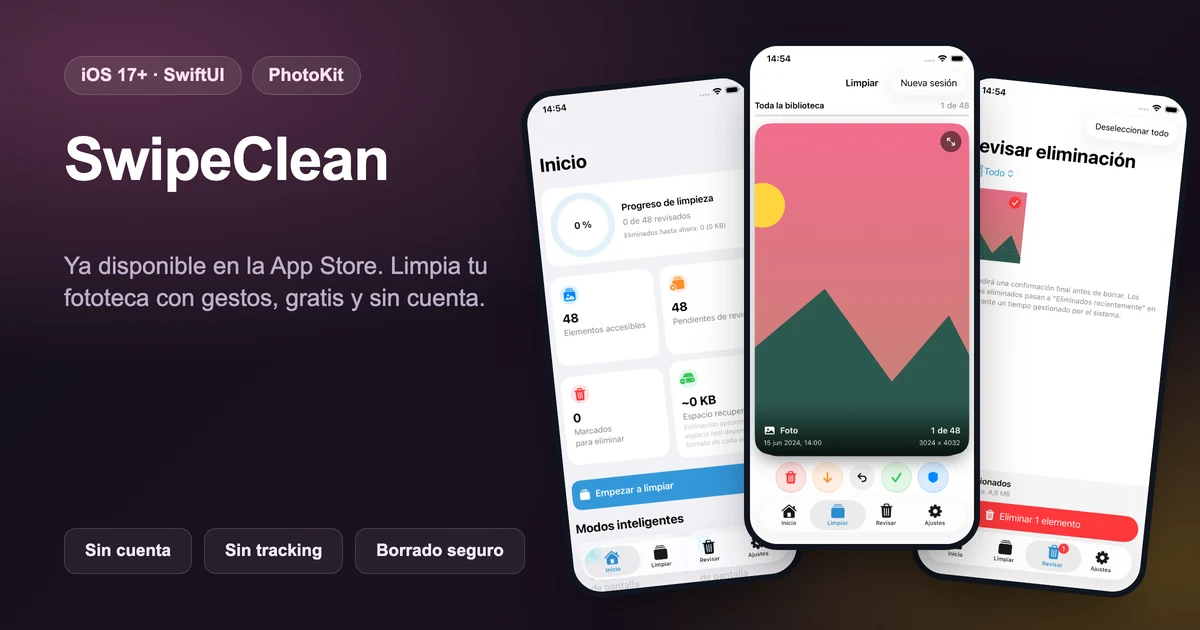
SwipeClean GHV: Photos has passed Apple's review and is now publicly available on the App Store, for free. When I wrote the original technical article about SwipeClean, the app had just been submitted to App Store Connect and could only be tested through an external TestFlight group. That period is over: anyone can install it now without waiting for beta approval.
Launch at a glance
| Aspect | Current status |
|---|---|
| Availability | Published on the App Store, no TestFlight required |
| Price | Free |
| Platform | iPhone, iOS 17 or later |
| Age rating | 4+ |
| Language | Spanish |
| Size | 1.8 MB |
| Privacy | No data collected |
| Initial public version | 1.0 |
What SwipeClean solves
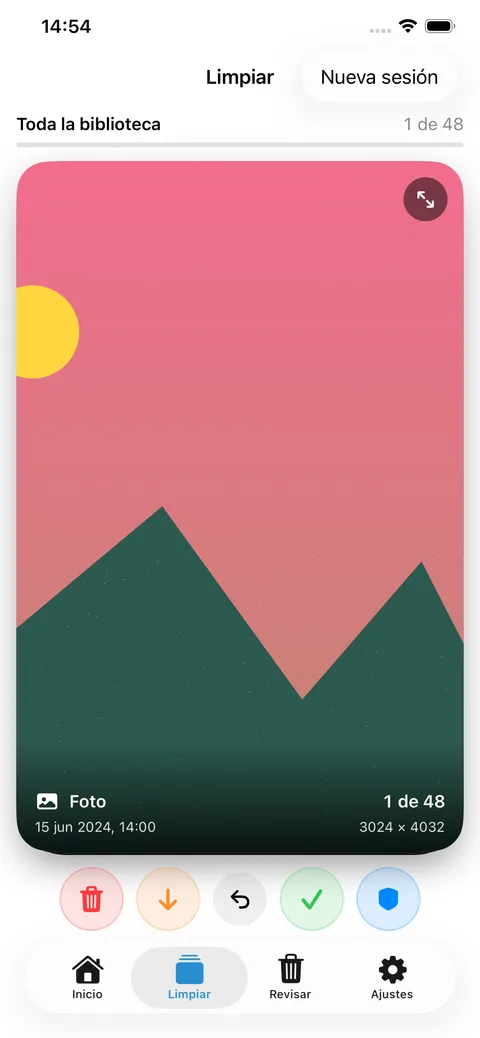
The core idea hasn't changed since the original article: photo libraries grow faster than we organize them, and deciding what to delete feels tedious because every photo has context. SwipeClean turns that task into a visual, gesture-based review with four possible decisions per item:
- Swipe right: keep.
- Swipe left: add to the deletion queue.
- Swipe down: skip for now.
- Swipe up: protect inside SwipeClean.
Nothing is deleted while swiping. Before removing anything, you can review the queue, remove items from it and choose exactly what to delete. Deletion is only requested after your confirmation inside the app and the system's final confirmation via PhotoKit.
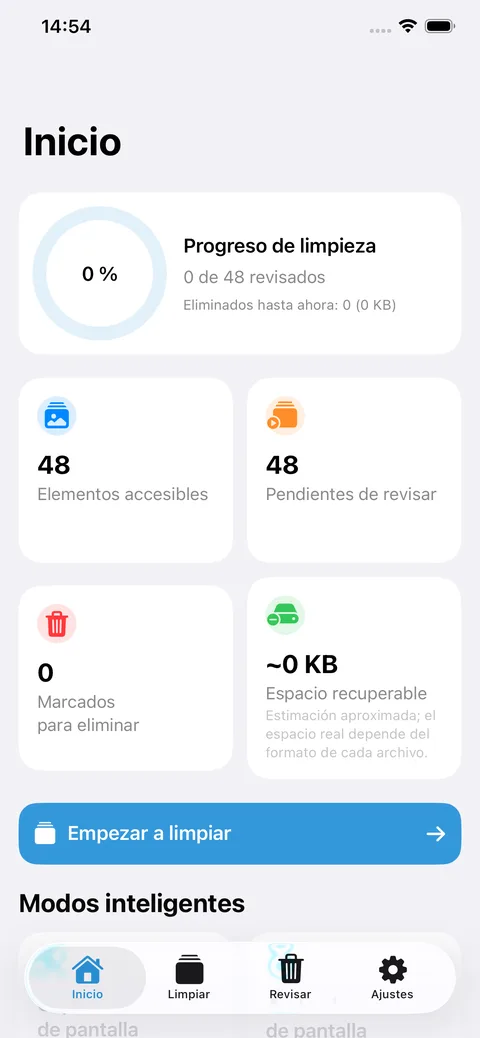
Smart modes to prioritize the review
The published version includes modes to quickly surface what's most worth reviewing:
- screenshots and screen recordings;
- videos that might be taking up more space;
- older photos;
- possible duplicates and very similar photos;
- possibly blurry photos.
Suggestions are calculated conservatively: they help you decide, but the final call always belongs to the user. SwipeClean never deletes anything on its own or assumes a suggestion is correct.
Sessions tailored to you
SwipeClean lets you review the whole library or filter by photos, videos, month, year or album. Order can be random, newest to oldest, or oldest to newest, and a session can be resumed later from the exact point where you left it.
Privacy by design, now verified in production
The public App Store listing confirms what the technical article described: SwipeClean collects no data. All analysis runs on-device using Apple's own technologies (PhotoKit, PhotosUI, Vision and AVFoundation). The app requires no account, shows no ads, uses no third-party analytics and never sends photos or videos to the developer's or any third-party servers. Preferences and decisions are stored locally.
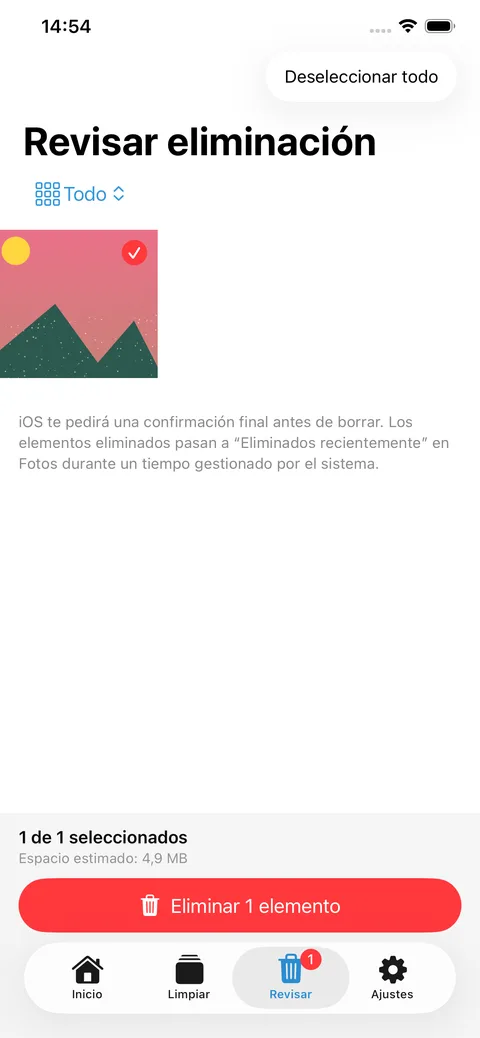
SwipeClean requires Photos access permission, with the option of full or limited access, changeable anytime from iOS Settings.
Launch notes
A few clarifications also worth keeping in mind, taken from the public listing:
- recoverable space estimates are approximate;
- duplicate, similarity and blur detection provide suggestions and may not catch every case;
- deleted items usually move first to "Recently Deleted", following standard iOS behavior.
Download SwipeClean
SwipeClean GHV: Photos can now be installed directly from the App Store, with no waitlist and no TestFlight required.
Download SwipeClean on the App Store
To learn about the original problem, the design decisions and the technical architecture behind the project, read the full technical article about SwipeClean or check the project page in my portfolio. To talk about iOS development, privacy by design or a project of your own, reach out via the contact page.