
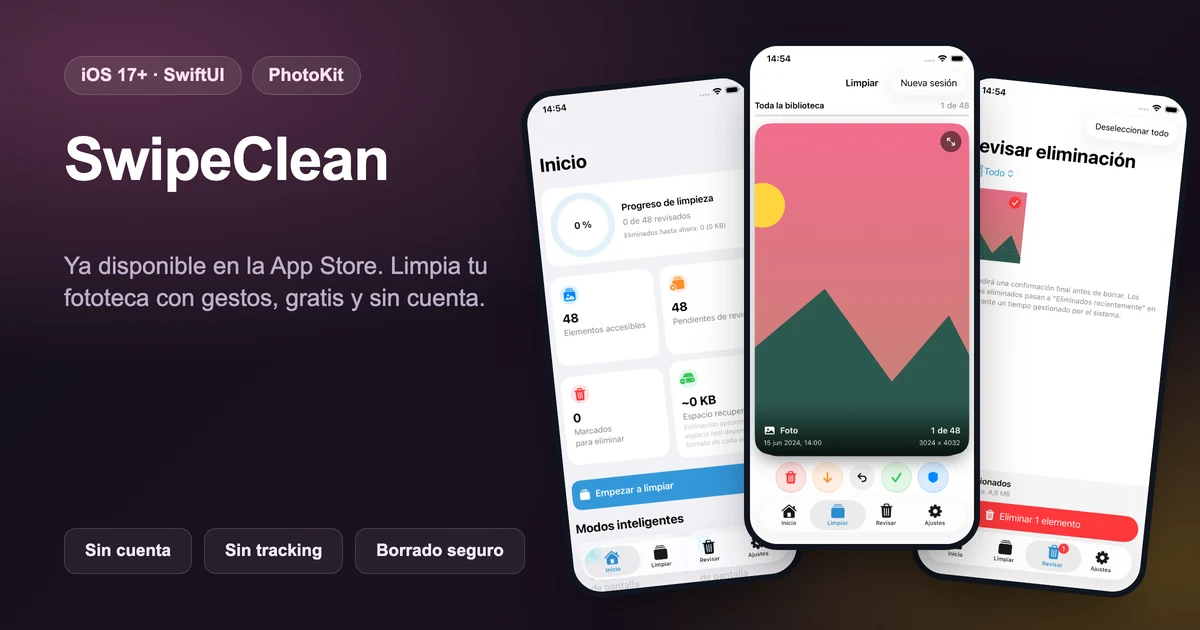
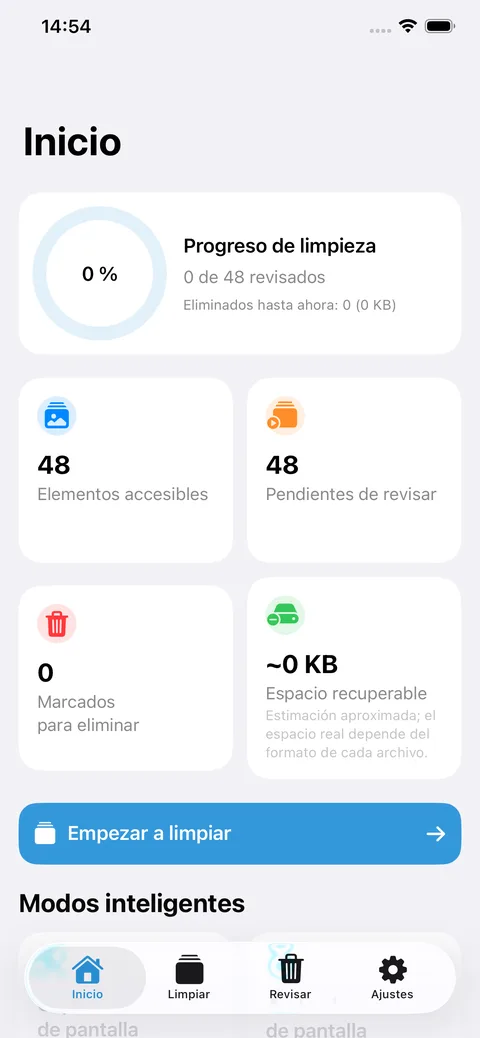
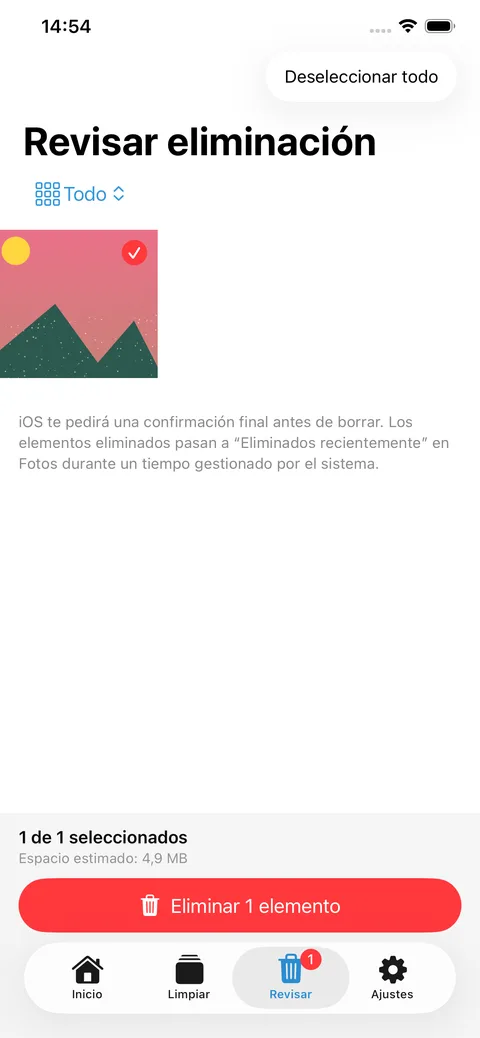
SwipeClean GHV: Photos is an iOS product I designed, built and published to solve a focused problem: reviewing a large photo library without turning deletion into a gamble. SwiftUI presents each photo or video as a card and the user decides with gestures; PhotoKit keeps deletion within iOS permissions and confirmations. The app adds filters by type, date and album, resumable sessions, and local suggestions for duplicates, similarity, screenshots, large videos and potentially blurry photos. All analysis and persistence run on device: no account, backend, advertising, tracking or data collection. Version 1.0 is now available for free on the App Store.
Problem, stack and result
Problem solved
Photo and video cleaning tool built around visual decisions: keep, skip, protect or send items to a review queue before iOS asks for final confirmation.
Technologies used
Core stack: Swift, SwiftUI, PhotoKit. Project technologies: Swift, SwiftUI, PhotoKit, PhotosUI, Vision, AVFoundation, XCTest, iOS 17+.
What I did
My role was Sole designer and developer. I worked on the technical implementation, product approach and enough documentation for the result to be explained and evolved.
Result or learning
Version 1.0 published for free on the App Store after passing Apple's review. Four-decision flow: keep, send to review, skip or protect.
Product in use


Highlights
- Version 1.0 published for free on the App Store after passing Apple's review.
- Four-decision flow: keep, send to review, skip or protect.
- No gesture deletes content: a review queue and later system confirmation through PhotoKit are required.
- Filters by photos, videos, month, year and album, with sessions that can be continued later.
- Local suggestions for duplicates, similar photos, screenshots, large videos and potentially blurry photos.
- On-device processing with PhotoKit, PhotosUI, Vision and AVFoundation.
- Local persistence for decisions, sessions and preferences serialized as JSON.
- Privacy by design: no account, backend, ads, tracking or data collection.